

















Dive In, Click Away: Underwater Photos With Your Phone, Safely
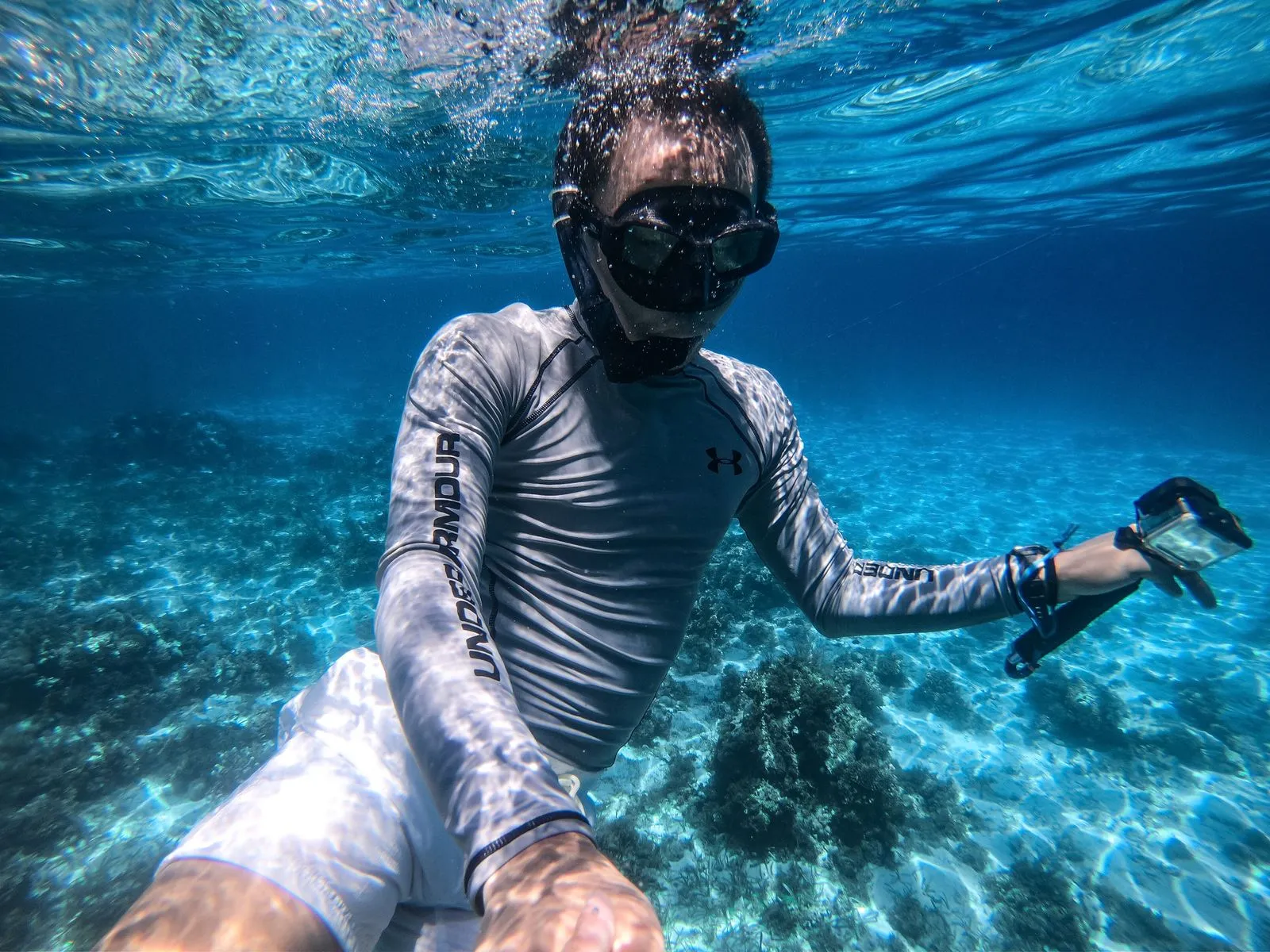
Namaste, it’s Dev Kamal, Sailor Geek. Few things look as dreamy as a shot of turquoise water from below the surface: sunbeams, little fish, your friends mid-dive. Plenty of phones can survive a splash, but taking them properly underwater is another story. Let’s decode the ratings, pick the right gear and get those shots without drowning your phone. It’s not a bug, it’s a feature.
What “Water Resistant” Really Means
Phones carry an IP rating, like IP67 or IP68. The first number is dust protection, the second is water.
- IP67: usually tested to about one metre of fresh water for up to 30 minutes.
- IP68: usually tested deeper or longer, but the exact depth depends on the brand. Check your model’s specs.
Important details hide in the small print. Tests are done in still, fresh water in a lab. Salt water, chlorine, sunscreen, jumping in, waves and warm water are all tougher on the seals. Seals also weaken with age and after drops. Most brands don’t cover water damage under warranty, so treat the rating as a safety net, not a swimming licence.
The Smart Option: A Waterproof Pouch or Case
For snorkelling and pool fun, a proper underwater case or pouch is the safest bet.
- Soft pouches are cheap, light and fine for shallow snorkelling. Choose one with a double seal and a lanyard.
- Hard dive cases are sturdier, give better image quality through a flat lens window, and often have physical buttons.
- Test it first: put a folded tissue inside, seal it, and hold it underwater in a sink for half an hour. Dry tissue means you’re good to go.
Camera Settings That Help
- Touchscreens don’t work underwater. Set your volume button as the shutter before you get in, or use a case with buttons.
- Turn on burst mode for moving fish and splashing friends.
- Use video and grab stills later. A short clip at high resolution gives you lots of frames to choose from.
- Lock focus and exposure above water on something blue, then dip under.
- Switch off the flash. It lights up floating particles and makes the water look cloudy.
Composition Tips for Dreamy Shots
- Shoot in bright sunshine, in shallow water. Light fades fast as you go deeper, and colours turn blue-green.
- Get close. Water softens detail, so fill the frame instead of zooming.
- Shoot slightly upwards toward the surface to catch sunbeams and silhouettes.
- Try a split shot: half above, half below the water line, with the phone held steady at the surface. Clear, calm water works best.
- Keep your back to the sun for brighter colours on your subject.
Fix the Colours Afterwards
Underwater photos often look too blue or green. In your phone’s editor, warm up the white balance a little, raise contrast, and add a touch of saturation. Some free apps have an underwater preset that does it in one tap.
Aftercare: Rinse, Dry, Wait
- Rinse with fresh water after salt water or chlorine, even if it was in a pouch. Salt crystals can damage seals and speaker grilles.
- Shake gently and dry with a soft cloth.
- Don’t charge it wet. Many phones warn you if there’s liquid in the port. Leave it to air dry for a few hours, port facing down.
- No hairdryers or rice. Heat can damage the seals, and rice dust can get into the ports.
Respect the Reef
Never touch or stand on coral, don’t chase or crowd marine life, and keep a firm grip on your gear so nothing ends up on the seabed. The best underwater shots happen when you float calmly and let the fish come to you.
Set the shutter, seal the pouch and dive into the blue. Your holiday album will thank you.
Comments
Also give your opinion.

 The Captain Look






Leave a comment